We have a dangerous tree behind the house. The pine tree is already leaning toward the house. I wanted a professional to climb the tree and bring it down safely. I hired Native Sisters Tree Service to take down that dangerous tree. Jenn Cope came out the first day and limb the tree up and cut the top out of the tree. I wasn't ready, funds-wise, and she wasn't willing to drop the tree without her helper.
(Week Delay)
@Tweety Bird got the banking done, and Jenn Cope returns a bit early. She was willing to drop the tree today. I told her I'm heading to the bank to get a check for her. Then she turns to me and looks me in the face and tells me... "I love your style because you don't give a F. I'm 42 years old, and you are the only person I know who just doesn't give a F." Yeah, as I'm facing Jenn, I'm wearing my teal wig, white face foundation, and teal eyeshadow, standard black lipstain. She just loves my energy and style.
I'm going to continue doing my makeup artistry (Titanium), Cummins diesels (supporting), and Cloud 10 Computers. She happened to tell me that others in my local community still think I'm a diesel guru. Jenn gave me a good, firm handshake, and she was going to consult me for future information on her diesel trucks.
Don't judge to hard this is at the time of this posting. I even was out working on Beast doing a cam sensor and then ran to town with Thor to get items for a RV mod.


We have a dangerous tree behind the house. The pine tree is already leaning toward the house. I wanted a professional to climb the tree and bring it down safely. I hired Native Sisters Tree Service to take down that dangerous tree. Jenn Cope came out the first day and limb the tree up and cut the top out of the tree. I wasn't ready, funds-wise, and she wasn't willing to drop the tree without her helper.
(Week Delay)
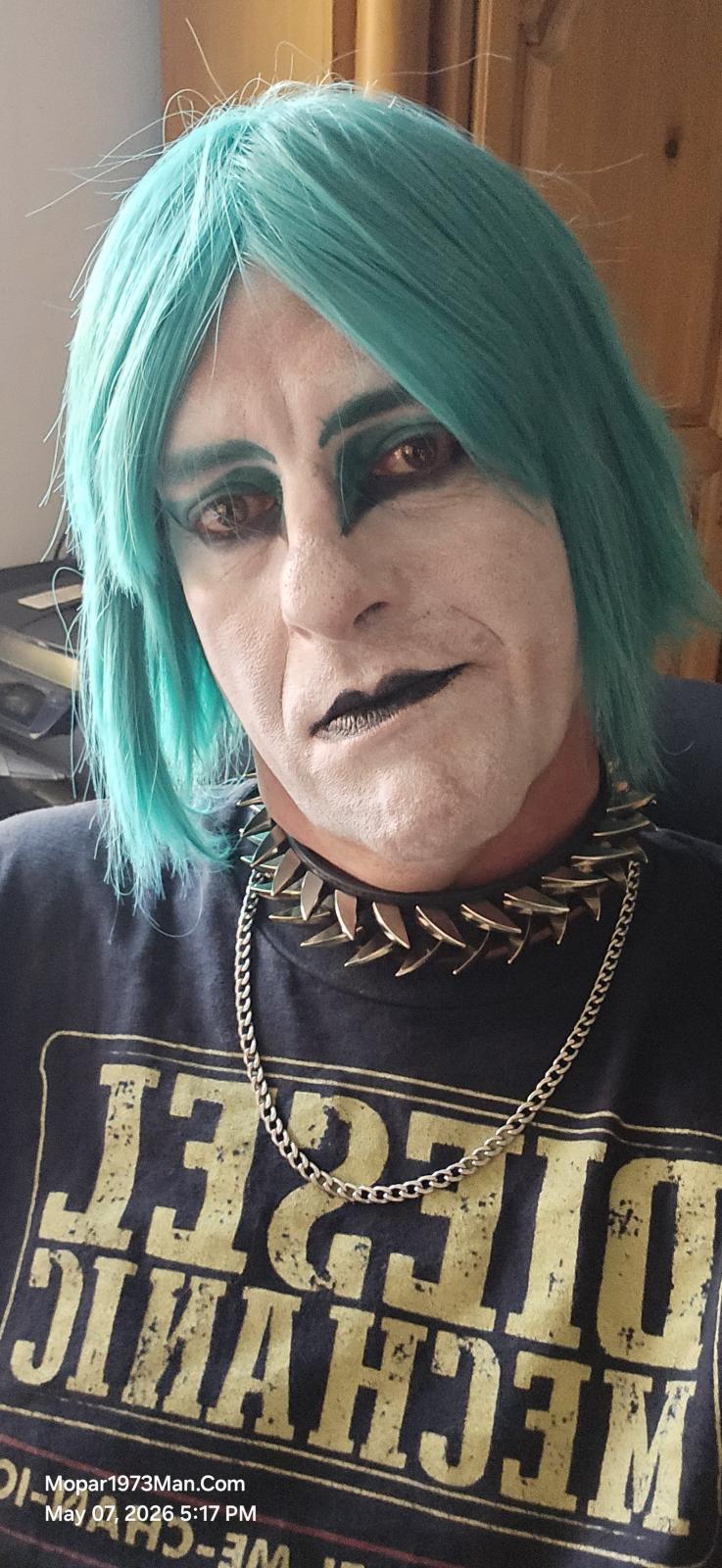
@Tweety Bird got the banking done, and Jenn Cope returns a bit early. She was willing to drop the tree today. I told her I'm heading to the bank to get a check for her. Then she turns to me and looks me in the face and tells me... "I love your style because you don't give a F. I'm 42 years old, and you are the only person I know who just doesn't give a F." Yeah, as I'm facing Jenn, I'm wearing my teal wig, white face foundation, and teal eyeshadow, standard black lipstain. She just loves my energy and style.
I'm going to continue doing my makeup artistry (Titanium), Cummins diesels (supporting), and Cloud 10 Computers. She happened to tell me that others in my local community still think I'm a diesel guru. Jenn gave me a good, firm handshake, and she was going to consult me for future information on her diesel trucks.
Don't judge to hard this is at the time of this posting. I even was out working on Beast doing a cam sensor and then ran to town with Thor to get items for a RV mod.
Edited by Mopar1973Man