Titanium
Owner
-
Joined
-
Last visited
Everything posted by Titanium
-
Parts, builds, cooling and upgrades, for Linux and everything else. Cloud 10 Computers started with custom builds, and this is where that spirit lives on. Good topicsChoosing parts for a new build Upgrades and swapping drives Cooling, noise and power supplies Troubleshooting a PC that won't boot Hardware that works well with Linux When you askList your parts (or model number), your budget, and what you'll use the PC for. Photos help. Show us your build or ask your first question below.
-
Inverters, batteries, generators, solar panels, and the dashboards that tell you what they're all doing. What belongs hereSolar and battery systems, large or small Generators and how they tie into a system Monitoring with dashboards, desktop panels and weather stations Real-world results, including what went wrong Safety firstElectrical work can hurt or kill you and can start fires. Follow your local code and use a licensed electrician where required. Share what you've learned, but please don't treat anything here as a substitute for that. Tell us what you're running and what you want to keep an eye on.
-
This forum covers home servers, web servers, backups, hardening, and safe remote access, in plain English. Ground rulesNever post passwords, keys, tokens, or your real IP addresses. Blur or crop screenshots before posting. Check for hostnames, usernames, and addresses. Keep it to systems you own or have permission to work on. Good first habitsKeep everything updated. Use keys instead of passwords for remote login. Turn on two-factor authentication wherever it's offered. Test your backups. A backup you've never restored is a guess. Ask away, and tell us what you're running and what you're trying to protect.
-
Welcome to the Linux forum. Whether you're curious, fed up with Windows, or already halfway through an install, you're in the right place. Which distro?Any distro is welcome here. If you're brand new, pick something friendly like Linux Mint or Ubuntu and don't overthink it. You can always change later. Before you installBack up your files first. Always. Try a live USB before committing to a full install. Check that your key programs have a Linux version or a good alternative. How to ask for helpTell us your distro and version, your hardware, what you expected, what happened, and any error message. The more detail, the faster the answer. Never post passwords, keys, or private addresses. Everyone here started as a beginner, so no question is too basic. Introduce yourself below and tell us what you're trying to do.
-
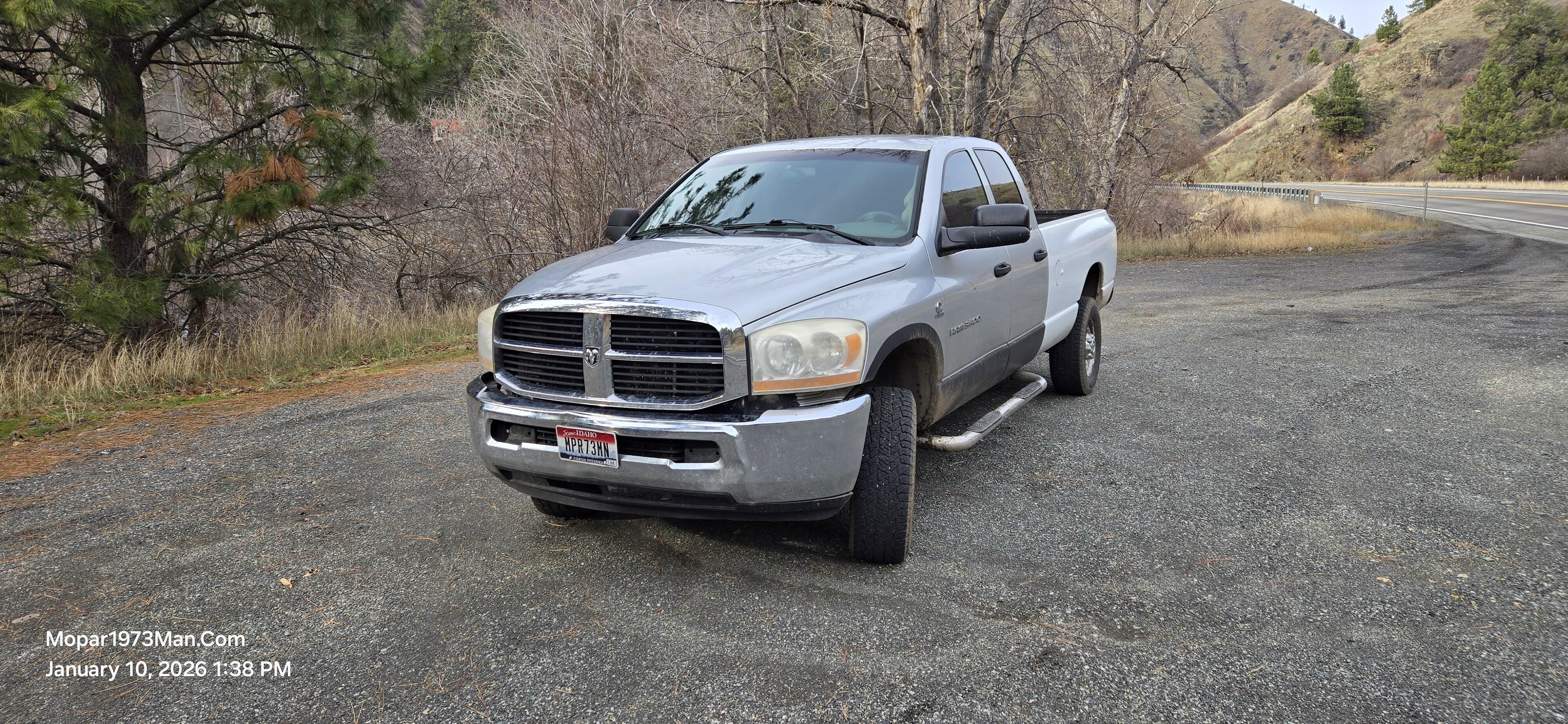
Thor, my 2006 Dodge Ram 3500, is getting new headlights and LED bulbs. They're ordered, and I'll document the swap with photos. What's ComingI ordered [the headlight assemblies: brand or type] and [LED bulbs: which positions]. They're on the way, and I'll put them in as soon as they arrive. Why[What's wrong with the old ones: hazy, dim, cracked, or something else.] With winter coming and a plow possibly going on the truck, I want to see well on dark roads. What I'll CoverBefore and after photos The parts and what they cost How the swap goes on a 2006 Ram, including anything that fights back Whether the LED bulbs are worth it, and how the beams look once they're aimed Your TurnHave you swapped headlights or bulbs on a 2003-2009 Ram? Tell me in the comments what to watch for before I get started. More soon, with photos. — Titanium (formerly Mopar1973Man)
-
An update on Mopar1973Man.Com: what happened, what's changing, and what's coming in diesel, Linux and servers, Titanium and Suzanna's jewelry. The landslide on May 29, 2025 took my shop, and it took over my life for much of the year since. Nearly all my time went to cleanup and keeping the vehicles running, and the website got left behind. Thanks to everyone who stuck around and kept checking in, including the guys who called nearly every day. You know who you are. A New NameMopar1973Man is retiring, and you'll know me as Titanium from here on. I explained why in Mopar1973Man Is Retiring: Meet Titanium. The site keeps its address and everything on it. Getting the Foundation Back in OrderI got control of the mopar1973man.com domain back after my old registrar was bought out, which was a bigger headache than it sounds. The forum software is current, and I'm reorganizing the site so things are easier to find. SecurityWith the site untended for so long, the first job was a security check-up, and most of it is done. I wrote it up in Cloud 10 Is Back: Getting the Servers in Shape. If you're a member, it's a good time to update your own password, especially if you reuse it on other sites. If anything on the site looks off, like strange links or odd emails, send me a message. One Site, Four SidesDiesel (Mopar1973Man.Com): This is where it all started in 2007, when I was just writing down how to fix my own Dodge Ram Cummins. Repair notes, how-tos and downloads for Cummins and Dodge owners will stay the core of the site. Cloud 10 Computers: I built custom PCs for years, and now I want to help people make the jump from Windows to Linux. Servers, networking and security live in The Server Room. Titanium: The more personal, creative side of the site. Meet the character at the Titanium blog. Suzanna's Jewelry: My wife Suzanna is making jewelry and will have a small corner of the site to show it off. Coming soon. Beast and ThorI can't do the heavy lifting or the under-the-truck work anymore, so some jobs will be hired out or done with a helping hand. I'll document each one either way. Here's what's on the list for Thor, my 2006 Ram 3500: A passenger-side wheel joint, before the worst of winter Headlights and LED bulbs, already ordered, with photos of the install to come A new Bluetooth stereo Plow work, including fixing the controls, and possibly a Fisher V plow for the season Beast, my 2002 Ram 2500, has a new dash waiting for me, but no place to install it with winter storms coming. I'll log it here when the weather and a workspace line up. Refreshing the ArticlesThere are nearly 700 articles on this site, and a lot of them haven't been touched in years. I'm going back through them one at a time to update what's out of date, add what's missing, and clean up the layout. Web addresses stay the same, so your bookmarks still work. If you've used an article and something was wrong or confusing, tell me in the comments, and tell me which ones you want done first. Cummins Help by Video CallI'm setting up paid, scheduled video calls for Cummins and Dodge owners. You point your phone or laptop at the engine bay, and I'll walk you through it live. You can show me the problem, and I can show you where things are. The plan is $45 for a quick question, $100 for a one-hour session, and $125 for a hard diagnosis. Booking details are coming soon. The GoalGet the site back to the top, with real experience from someone who's done the work, not recycled filler. This is a hobby site now, but subscriptions and downloads are still available, and I'm cleaning up the ad side so the site can help pay for itself. A landslide update is coming soon too. What would you like to see covered first? Tell me in the comments. More soon. — Titanium (formerly Mopar1973Man)
-
Cloud 10 Computers is back as the home for servers, networking, Linux and security. Here's the first project: a full security check-up on my own servers. Cloud 10 Computers started in 1994 as my custom PC building business, and it's returning as the home for everything computer-related on this site. The first project was my own backyard. While the site sat untended, I did a full security check-up and cleaned up the servers. In general terms, here's what that meant. UpdatesThe forum software, PHP and the operating system are all brought current. Old software is one of the easiest ways in for attackers, so this comes first. Locking Down Remote AccessI moved to key-based logins, turned off password logins wherever I could, and set up automatic blocking for repeated failed attempts. Servers on the internet get probed constantly, and this is the single best reason not to skip it. Keeping Databases PrivateDatabases now only talk to the server they live on, not the open internet. CleanupOld accounts, leftover copies of the site and unused files are gone, and the site's files now sit in a cleaner folder layout. The web address didn't change. A Private TunnelI built an encrypted tunnel so I can reach my servers from anywhere without exposing my home network to the internet. It lets me keep an eye on everything while I'm away from the desk. What's NextIn the coming weeks I'll write these up step by step for anyone who wants to do the same on a home server or a small website, along with beginner-friendly guides for moving from Windows to Linux. If there's a topic you want first, tell me in the comments. — Titanium