
Titanium
Owner
-
Joined
-
Last visited
Everything posted by Titanium
-
-
-
-
-
Thank you sir. I'm still doing every day one step at a time slow right now but working on getting the site tuned up and more info flowing soon.
-
Truth. But I think we can do better with aftermarket at this point than trying to get the highline option working correctly. I could do a car alarm better than a high line security. 🤣😂
-
Friends, forum members, and fellow grease monkeys, we are gathered here today to say goodbye to a name. Mopar1973Man has been with me a long time. The name goes back to at least 2004, when I hand-coded a little HTML4 website during the Cloud 10 Computers years. On October 4, 2007, it became Mopar1973Man.Com, which started as nothing more than my own notes for fixing Dodge Ram Cummins diesels. I never planned for it to grow. People found those notes, and they kept coming back. Folks have called me from as far away as Poland, Australia and Germany for help with their trucks. Mopar1973Man was the guy with the answers. He was in the shop at all hours, up to his elbows in a diesel, and happy to explain it to anyone who asked. Mopar1973Man was the guy who sat up at night with a lost soul on a highway in the middle of an Alaska winter, at -44°F, after he'd lost his throttle. I was up at the computer, trying to explain what to do to get him going. I stayed with him until he got home safely. Mopar1973Man was also the guy who saved lives over in the Middle East. For that, I was rewarded with a U.S. flag from their military camp there. Yes, it's tough. I can't do these things any longer. But this is who I am. So why the change?The honest answer is that I'm not the same person I was. Life took some hard turns. The landslide came off the hill behind the house. The shop was lost. The site sat quiet for months while I dug out and kept the trucks running. When I came back to it, I looked at the name and realized it no longer described me. It also doesn't describe the site anymore. Mopar1973Man is a diesel and Dodge name. That's still a big part of this place, but it isn't all of it now. The site covers Cummins diesel repair, Cloud 10 Computers (helping people learn Linux and move off Windows), and my own corner of it, Titanium. My wife Suzanna is putting up some of her handmade jewelry too. One name for the diesel guy can't carry all that. The hard partI'm not going to pretend this is easy. It's hard, and it's the truth. Saying goodbye to Mopar1973Man feels like a part of me is dying. That name was who I was for a very long time. It started with the cancer. Then came the news that was even harder to hear: my bladder had to come out, and I would have a stoma. Learning to live with it was a whole other fight. There was a long learning curve with the ostomy bags. They leaked. At night the tubing would come apart, and I'd wake up in the middle of the night with the bed soaked in my own urine. That's heartbreaking, and it's frustrating. I'm not going to dress it up. It wore me down, and it took a long time to get the hang of it. It's one more piece of the old me that I had to let go of. I'm so thankful for an understanding wife like Suzanna, my Tweety Bird. She has always been there to help me, even with the mess of the leaks and doing laundry in the wee hours of the morning. Suzanna knows what this is like, maybe better than anyone. I met her on July 25, 2024, and we were married on November 25, 2025. She broke her ankle when she was 16, and it changed her life. She still misses out on the things she loves, like jogging and running. She understands what it is to lose a piece of who you were and keep going anyway. Why TitaniumI don't want to be pinned to a label. Not a scene, not a category, not a box someone else built. I'm not the same person anymore, and the name had to change with me. But the real reason I carry this name is cancer. I've fought it twice, at Christmas 2018 and again at Christmas 2023. It was bladder cancer. The cancer was fully involved in my bladder, and nobody was sure whether it had moved on to other parts of my body. My doctor told me I would not make it. I'm still here. It left its mark. I live with an ostomy bag now, and I'm disabled. I have a 40 pound weight limit because of my stoma. The stoma is an opening in my belly, and lifting anything heavier could give me a hernia. The chemo took a big toll too, and my energy is much lower than it used to be. The L3 and L4 in my back are in bad shape. I've lost a lot of muscle tone and strength. I've been wrenching since I was 14 years old, and for the last 23 years I was a field mechanic. I did clutch jobs flat on the floor of my shop with no lift. I did transmission work on the shoulder of a road in the middle of nowhere. When a transfer case had to come out, I'd lay it right on my belly and move it myself. That was just how I worked. Now I've lost the majority of my tools, and with my body the way it is, I can't work that way anymore. That part is over. But I'm not done. I'm still trying to do as much as I can with this broken body. A good friend gave me the name Titanium and told me to go listen to the song. It's by David Guetta featuring Sia, released in 2011 on his album Nothing but the Beat. It's a big, powerful dance track, and under the beat is a simple message: you can be knocked down, hit again and again, and still not break. The song is about someone who has been shot at and pushed around by words, by people, and by life, and who still hasn't gone down. The metal in the title stands for strength that doesn't give way. When I heard it, I saw myself. Cancer had hit me twice, and I was still standing, even after a doctor told me I wouldn't make it. That's where the name came from, and that's why I'm keeping it. Give the song a listen: Titanium by David Guetta ft. Sia. What happens nextMopar1973Man is being retired. The website will remain the same, with all of my knowledge on Cummins diesels still here. I'm going to work on freshening up the information as much as I can. Titanium will be the name running the show, and the old posts under Mopar1973Man will always remain. I'm still able to help with Cummins issues. All communication will be handled here on the website. If there's a special need, we can arrange a time for a phone call or a video call. Here's the plain truth about the new articles. Without the shop, I have nowhere safe to work on even my own trucks. The yard is turning to mud from the rain, and snow is on the way. So I'll keep building articles, but slowly. They'll come when the weather is good and when there's money for repairs and upgrades on Thor. I'd rather give you real, finished work than a pile of rushed posts. You'll hear more from me too: stories, projects, and what I'm really up to, from the trucks to the computers to the music. So raise a wrench, pour one out for the old name, and I'll see you on the other side. Rest easy, Mopar1973Man. 2004–2026. — Titanium
-
November 2, 2026 People like to ask what kind of person listens to what kind of music. Goth, emo, alt, metal, country, pop. Pick a box, wear the shirt, learn the rules. I never did fit one, and the older I get, the less I care to try. Titanium came from the same place. A good friend told me to go listen to the song, and it stuck, because it was about getting knocked down and not breaking. I wasn't the same person anymore, and I didn't want to keep wearing the name of someone I used to be. So I picked one that fit who I am now. That's the whole idea behind it: not fitting in on purpose. What's Actually On My PlaylistIf you looked through my music folder, you'd find a wide mix. It's not one scene, and I'm fine with that. Here's what I keep coming back to: Bring Me The Horizon: started heavy and went darker and more electronic. "Parasite Eve" is a good place to jump in. Evanescence: big, dark and dramatic. "Bring Me To Life" is still the one that gets people. Breaking Benjamin: moody, heavy and melodic. If you only try one band from this list, I'd say try this one. Three Days Grace: raw and angry in the way that clears your head. Shinedown: big hooks with real weight behind them. Starset: cinematic and a little otherworldly, good late at night. twenty one pilots: hard to pin down, which is the point. David Guetta and Sia, "Titanium": the song behind the name, so it gets the last spot. There's more in there too, from country to dance floor to old rock. Good music doesn't ask what category it belongs in. Live It Your WayYou don't have to be one thing. You can be a diesel mechanic, a computer guy, a husband, a goth at heart and a guy who likes a good dance track, all on the same day. The people who try to sort you into a group are mostly trying to make themselves feel sure of where they stand. For the record, I'm an American, and I believe in American first values. I won't side with communism or socialism. That's where I stand, and I don't need a scene, a look or a playlist to tell me what to believe. You can dress dark, listen loud and still think for yourself. So crank it up, play what you like, and don't worry about the label. That's what Titanium means to me. What's on your playlist? Drop a band or a song in the comments. I'm always looking for something new to listen to. — Titanium
-
November 2, 2026 Winter is coming to New Meadows, and the garage doesn't forgive cold water lines. The old spot for the water heater was too far from the living quarters. That meant long runs of pipe sitting in a space that gets well below freezing, and every cold snap was a gamble. So today Mark and I moved it. The new home is against the white wall on the house side of the garage, as close to the living quarters as I can get it. It's a 40 gallon electric unit with 2500 watt elements, and it now sits on a plywood platform so the bottom of the tank stays up off the slab and out of any moisture. Under the tank is a drain pan with its own drain line, so a slow leak gets caught and carried away instead of soaking into the floor. The Theory Behind the MoveAn electric water heater turns almost every watt it pulls into heat, so there's not much efficiency to squeeze out of the element itself. The savings come from the heat you lose before the water ever reaches the tap. That loss shows up in three places: Pipe length. Every foot of hot water pipe between the heater and the faucet is a foot of hot water that cools off between uses, and a foot of cold water you have to run out before the hot arrives. A shorter run means less heat wasted and less water down the drain waiting for it. Cold surroundings. A tank loses heat to the air around it, and the colder that air is, the faster it leaks. A heater sitting in an unheated garage in January works harder to hold its temperature than one sitting against the warm side of the house. Freeze risk. Long runs through a cold space are exactly where lines freeze. Shorter, warmer runs are cheaper to heat and a lot safer. That's also why the cabinet matters. Foam board around the tank cuts how fast it sheds heat into the room, so it cycles on less often to hold temperature. I haven't put a meter on it, so I'm not going to throw out a savings number, but the logic holds up and I'll report back on how it behaves this winter. A few things we did on purpose: Flex connectors on the hot and cold lines, with a shutoff valve on the cold side. When this tank wears out in 10 or 12 years, swapping it will be a lot easier. Relief valve line run the full size of the valve outlet, downward only, with no cap or threads on the end. Separate pan drain so the pan and the relief valve each have their own path out. Fill before power. The tank gets filled until water runs steady at a hot tap before the breaker goes on. Powering up a dry tank burns out the elements in seconds, and that's the one mistake you can't take back. Next up is the cabinet. We've got the framing started with pink foam board on the walls to hold the heat in and keep the cold out. The plan is a removable front panel so the thermostats, element covers, and drain valve stay reachable. The anode rod on top also needs headroom so I'm not fighting it down the road. Two old guys, a cold garage, and a tank full of water. It's not fast, but it's getting done right. More photos once the cabinet is closed in. — Titanium Running the genrator to reload the water heater with hot water! Gotta love Linux for allowing you to create custom information display on your desktop.
-
I've always had an idea of using a 12VDC hydraulic pump to flow the NV4500 fluid out to a cooler and back into the gear box. Then use a ISSPro EV3 gauge to control the pump operation so the gauge would be set for an optional control circuit. So set the pump to come on at 200℉ and then cool it off and shut off again. Just my wild idea I've never done yet.
-
That was one thought of the plug in my mind but never really seen a high line truck with the options under the dash. 🙄
-
Same here about 200k to 250k in radiators.
-
Your going to need a FSM book it will show the plug and pin out.
-
No. Dual disc. Organic. 😉
-
Basically in a quick nut shell. Engine and Transmission harness. ECM Flashed to Auotmatic software. PCM Flashed to Automatic software You need these things and to have the wiring for the transmission. The ECM needs software changed and PCM being the PCM controls the transmission shift.
-
Fixing Email and Spam on the Server: What We Repaired TodayToday was a long maintenance day on the live mopar1973man.com mail server. The main problem was a flood of spam hitting one of my mailboxes. While chasing it I found and fixed several other things, and I'm writing them down in case it helps someone else running their own mail server. 1. Spam filtering wasn't working properlySpamAssassin was tagging most incoming mail with a "URIBL_BLOCKED" warning. That means the server couldn't use the blacklist lookups it depends on, because the public DNS resolver it was using was being rate-limited or refused. Real scoring was being skipped. The fix: I pointed the server's DNS lookups at its own local caching resolver first, with the old resolver as a fallback. Then I restarted the SpamAssassin daemon so it picked up the change. Lookups work again, and spam is scored properly. I left the spam score thresholds alone for now. Raising them tends to catch real mail, and I'd rather fix the underlying problems first. 2. Someone was guessing mail passwordsThe firewall logs showed an address hammering the SMTP login for one of my support mailboxes, trying password after password. My firewall (CSF/LFD) was set to tolerate far too many failed attempts before blocking. The fix: I lowered the failed SMTP login limit from 100 to 5. I blocked the offending address. If you run CSF, check LF_SMTPAUTH. A high number gives an attacker a lot of free guesses. 3. An old "temporary" allow rule was still hanging aroundWhile in the firewall I found an address I had manually allowed back in June. It was in both the firewall allow list and the mail panel's trusted networks. I no longer had a reason for it, and a forgotten allow rule is a hole in your defenses. I removed it from both places. 4. Email authentication: SPF, DKIM and DMARCI also started making the domain's email authentication airtight. Without it, anyone can forge mail that looks like it came from you. DMARC: I published a DMARC record and verified it. It started in monitoring mode, and I've since moved it to a quarantine policy applied to 25% of failing mail. The plan is to raise that to 100%, then to full reject once the reports come back clean. Testing: I sent a message to Gmail and checked "Show original". SPF, DKIM and DMARC all passed. DNS location: The domain's public DNS is hosted at LiquidWeb, not on the server itself, so these records are edited in their portal. Still on the to-do listRemove the DKIM "testing" flag now that authentication is passing. Move SPF from a soft fail to a hard fail once the DMARC reports look clean. Whitelist the real senders I do business with, so they never get caught by the filter. Block the domains that only ever send spam. Rotate the spam filter's database password. Unsubscribe from the legitimate newsletters site by site, and clean out the mailbox after a backup. TakeawaysCheck the logs when something is odd. The blocked-lookup warnings were the real clue behind the spam problem. Tighten your failed-login limits. The defaults are often too generous. Audit your allow lists regularly. Old exceptions pile up. Set up DMARC, but ramp it up gradually and watch the reports before you go to a strict policy. I'll post a follow-up when the DMARC policy reaches full enforcement.
-
Only clue i could give is grab a wiring diagram from the FSM and layout of looms and plugs are shown. Might help.
-
You can run your own Netflix-style media server at home with free software. This is how to set up Jellyfin in Docker on a Linux machine and watch your videos on a TV, a phone or any web browser. Why JellyfinI wanted to play my own videos on the TV. Casting from my desktop browser found no devices, so I set up a media server instead. Jellyfin is free and open source, has no accounts or subscriptions, and keeps your videos on your own hardware. It also has apps for Roku, Android TV, Fire TV and more. What you needA Linux machine that stays on, such as an old PC or a small home server. These steps use Ubuntu. Enough storage for your videos. A TV or streaming stick that has a Jellyfin app. Videos that you own or made yourself, such as home videos and your own backups. Step 1: Install DockerOn Ubuntu, the quickest route is the packages in the standard repositories: sudo apt update sudo apt install docker.io docker-compose-v2 sudo usermod -aG docker $USERLog out and back in so the group change takes effect. Then check it with docker --version. Step 2: Make the foldersKeep your media and Jellyfin's settings in separate places: sudo mkdir -p /srv/media/movies /srv/media/shows /srv/media/home-videos sudo mkdir -p /srv/jellyfin/config /srv/jellyfin/cache sudo chown -R $USER:$USER /srv/media /srv/jellyfinStep 3: Create the compose fileMake a folder for the project and add a file called compose.yaml: services: jellyfin: image: jellyfin/jellyfin:latest container_name: jellyfin user: "1000:1000" ports: - "8096:8096" volumes: - /srv/jellyfin/config:/config - /srv/jellyfin/cache:/cache - /srv/media:/media:ro restart: unless-stoppedRun id -u and id -g and replace the 1000:1000 with your own numbers if they differ. The :ro on the media folder means Jellyfin can read your videos but can't change or delete them. Step 4: Start itdocker compose up -dOpen a browser on any computer on your home network and go to http://YOUR-SERVER-ADDRESS:8096. The first-run wizard asks you to create an admin account. Use a strong password. Step 5: Add your librariesIn the wizard, add a library for each folder: Movies from /media/movies, Shows from /media/shows, and Home Videos from /media/home-videos. Let Jellyfin scan them. Name your files so Jellyfin understands themmovies/Movie Name (2020)/Movie Name (2020).mkv shows/Show Name/Season 01/Show Name S01E01.mkvGood names are what let Jellyfin find posters and descriptions on its own. Watch it on your TVInstall the Jellyfin app on your streaming stick or smart TV. It should find the server on your network, or you can type the address in. Sign in with the account you made. TipsDirect play is easier on weak hardware. If your server has no graphics card, video that your TV can play directly won't need converting. Common formats like H.264 work well. Back up the settings folder. The config folder holds your libraries and watch history. Keep it off the internet. Don't open the Jellyfin port on your router. If you want to watch away from home, use a VPN to reach your network instead. If something doesn't workThe TV can't find the server. Make sure both are on the same network, and type the server's address in by hand. The page won't load. Run docker ps to see that the container is running, and check the firewall. On Ubuntu with ufw, you can allow your home network to reach port 8096. Libraries look empty. Check the folder permissions with ls -l /srv/media, and make sure the user in the compose file matches the owner of the folders. Video stutters. Check whether the player is converting the video instead of playing it directly. Jellyfin's dashboard shows this. Questions?If you get stuck, post in the Linux or Servers and Security forum and tell me your distro and what you see.
-
Invision Community has no built-in way to give each section of a site its own colors. A little custom CSS can do it. Here's how I gave the Titanium and Cloud 10 areas of this site their own look. The ideaEvery page on an Invision site is tagged with its section and its ID number. A blog page, for example, is tagged as the blog app with the blog's number. Pages that sit inside a section, such as a post or a forum topic, link back to their parent section in the breadcrumb at the top. CSS can look for those clues and change the site's colors only when they appear. Where to put itIn the admin area, open Customization, then Themes. Duplicate your active theme first, so you have a backup. Edit the theme's custom CSS and paste the code in. Save, then hard refresh the page with Ctrl+Shift+R. The colorsInvision builds its page colors from two theme colors, a primary and a secondary. To recolor a section, change those two values for the pages you pick. The values are set on the top-level page element, not on the page body, because that's where Invision calculates the colors it hands down to everything else. I tested this on Invision Community 5. Example: the Titanium sectionThis block turns the Titanium blog (number 11) and the Titanium forum (number 222) purple and near-black. It also catches posts, topics and gallery pages inside them through the breadcrumb: html:has(body[data-pageapp="blog"][data-id="11"]), html:has(body[data-pageapp="forums"][data-id="222"]), html:has(.ipsBreadcrumb--top a[href*="/blogs/blog/11-titanium"]), html:has(.ipsBreadcrumb--top a[href*="/forums/forum/222-titanium"]) { --light__i-primary: hsl(262 20% 30%); --light__i-secondary: hsl(265 30% 9%); --dark__i-primary: hsl(262 20% 30%); --dark__i-secondary: hsl(265 30% 9%); }Template for your own sectionsSwap in your own numbers and names. The number is in the web address of the blog or forum, such as /forums/forum/224-cloud-10-computers/: html:has(body[data-pageapp="forums"][data-id="YOUR-FORUM-NUMBER"]), html:has(.ipsBreadcrumb--top a[href*="/forums/forum/YOUR-FORUM-NUMBER-name"]) { --light__i-primary: hsl(200 28% 22%); --light__i-secondary: hsl(210 40% 7%); --dark__i-primary: hsl(200 28% 22%); --dark__i-secondary: hsl(210 40% 7%); }Use data-pageapp="blog" for blogs, "downloads" for download categories, and so on. Tips I learned along the wayPages inside a section don't carry the section's number, so match them through the breadcrumb link instead. Some pages, such as a gallery category, don't link to themselves in the breadcrumb. For those, match the page's canonical address in the page head. Pick colors by changing the hsl numbers. The first number is the hue, the middle is how colorful it is, and the last is how light or dark. If the text in the header becomes hard to read on a dark background, raise the lightness a little. LimitsThis changes colors and accents only. A different layout for each section would need deeper theme work. Keep a copy of your CSS in a text file in case you ever switch themes. Questions?If you try this on your own Invision site and get stuck, post in the comments or in the Servers and Security forum and I'll help you work it out.
-
You need to talk to @Doubletrouble hes good with these transmissions.
-
What kind of price tag on this custom fan? I'm interested in actually upgrading Beast for RV hauling.
-
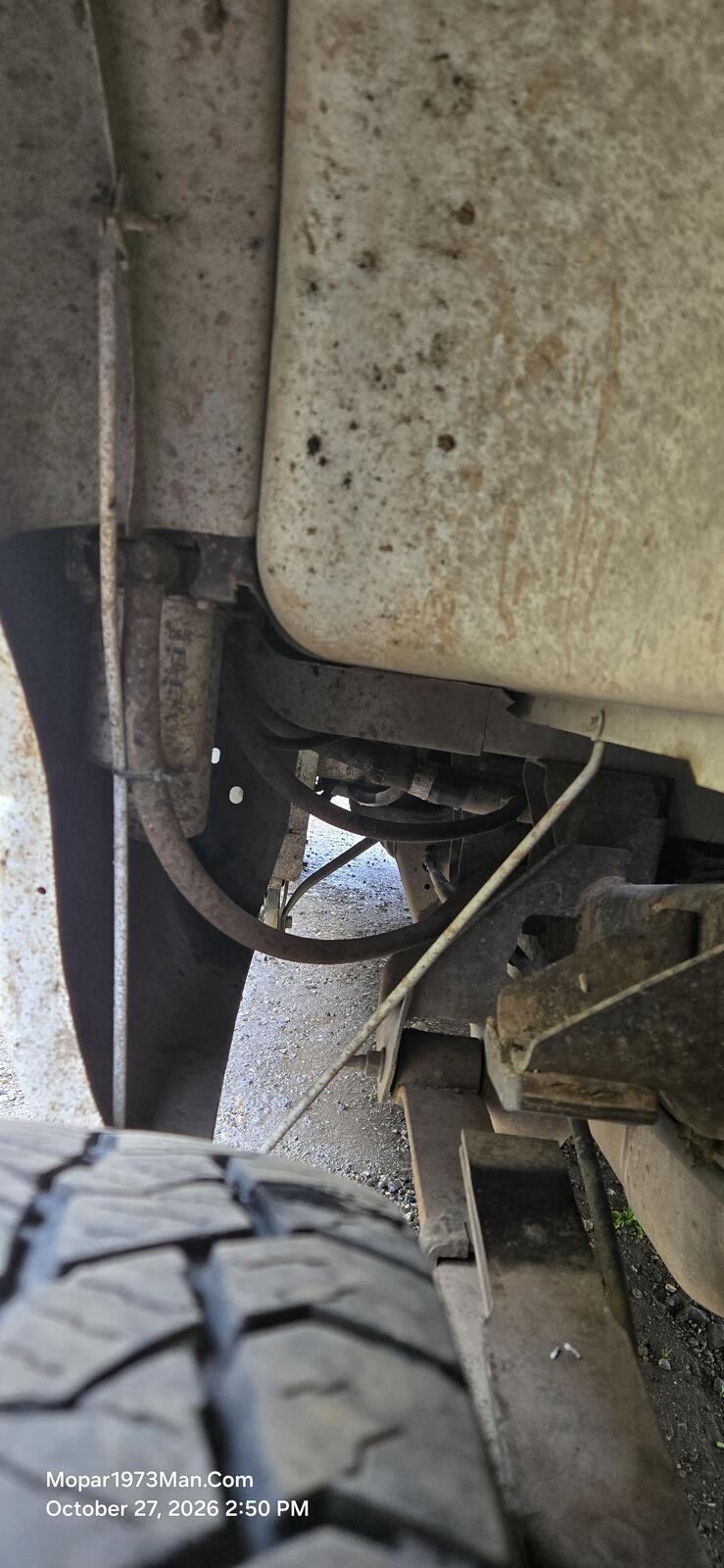
AirDog 150 got installed on Thor. Just got to take time when weather is better to do the spring in the pump and recheck the pressures.
-
Beast and Thor are bottom doing fine or the Valair dual disc clutches. Thor has the better clutch with the springs on the center disc to keep the chatter down.
-
The member profiles have been rebuilt. You can now list your truck and your tech setup so other members know what you're working with when you ask for help. Why the changeThe most common reply to a question on this site used to be "what truck do you have?" or "what are you running?" Now that information can sit right in your profile, so the answers you get back can be better and faster. My TruckFor the Dodge Cummins side of the site, you can add: Generation, year and model Engine and transmission 4WD and axle ratio Mods and goals, in your own words My TechFor the Cloud 10 Computers side, you can add: Which Linux distro you run, or "still on Windows" Your experience level, from brand new to power user Your interests, such as servers and security, networking, solar and power monitoring, PC builds, local AI, and gaming on Linux Any hardware you'd like to share Please fill it inNone of it is required to join or to post, but I highly suggest you fill it in. The more I know about your truck or your setup, the better I can handle your issues. A question about a hard start means something very different on a 12 valve than on a Common Rail, and I can't help as well if I'm guessing. It takes a couple of minutes, and it can save a lot of back-and-forth. I do ask for your real name and phone number. Both are only visible to me and the staff, never to other members or the public. If we need to talk, whether it's about your truck or help with your subscription, I'd much rather say "Hello Billy, how's the Dodge doing today?" than "I'm calling from the website." I'll never ask for your home address, and please don't post it in your profile. How to update your profileSign in, click your name in the top corner, and choose Edit Profile. The new fields are grouped under My Truck and My Tech. What do you think?How do the new profiles look so far? Is there a field you'd like to see that isn't there, or something that doesn't work for you? Tell me in the comments. I read every one, and your feedback will shape what I change next.
-
Routers, switches, Wi-Fi, cameras, sensors, smart devices and everything that talks over the network. Good topicsSetting up and troubleshooting a home network Wi-Fi coverage and access points Separating smart devices from your main computers Cameras, weather stations and sensors Printers and shared devices Posting tipsDescribe your gear and what's not working. Please don't post passwords or your public IP address, and blur any screenshots that show them. Tell us about your network project below.