I designed this and just received it in the mail yesterday. I had an engine fan manufacturer make this to my specs and after some future test fitting and such I hope it to be available for everyone who wants one.
After I’m sure it works I’ll make a post about how to get one and what needs to be done to make it work (i.e. does it work with a Fluidampr? etc etc)
I do this for the advancement of our 2nd gen community. I will not make a penny on this. I imagine my design would be stolen and copied once they’re available on the market but alas, it is life.


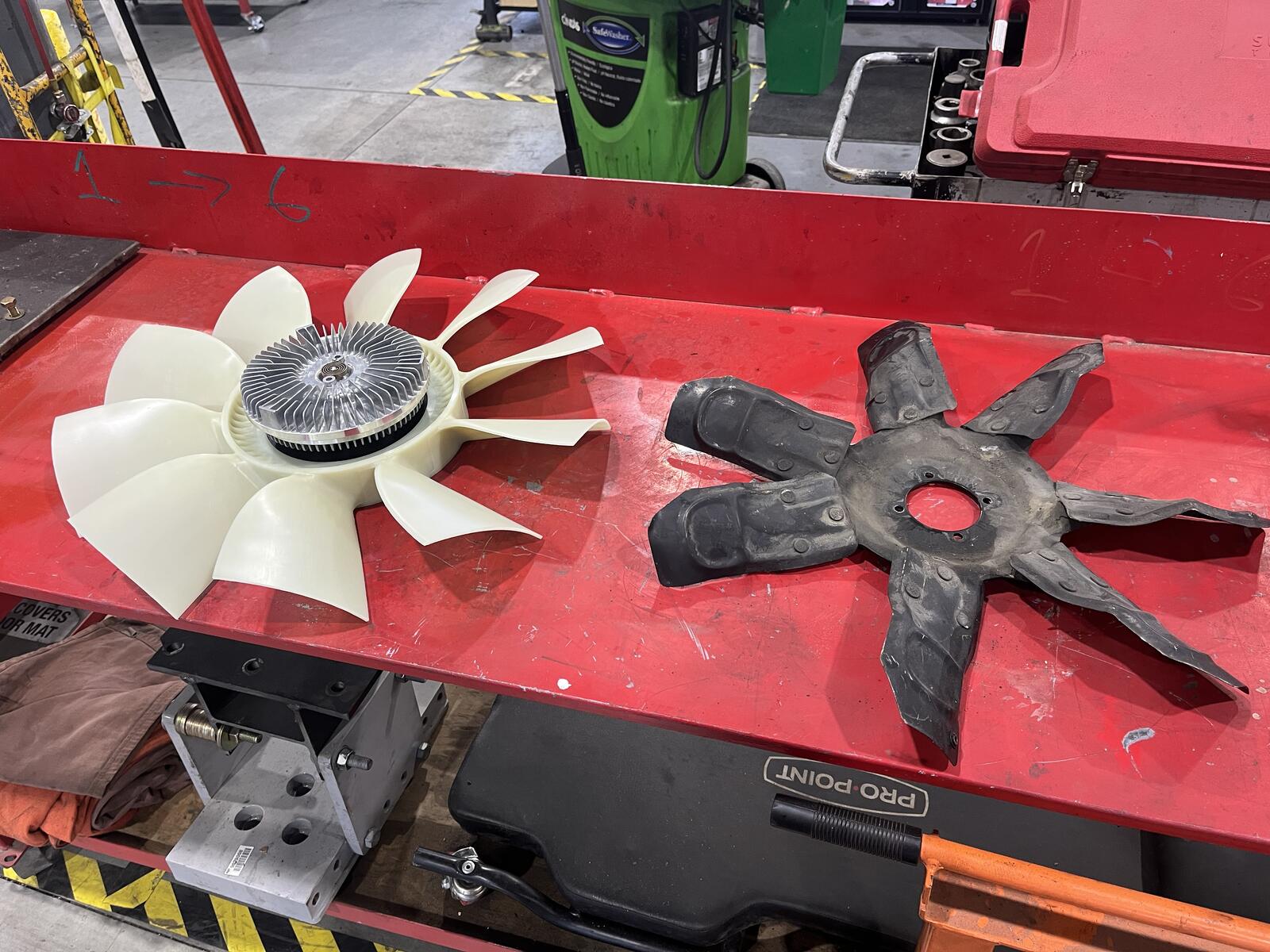
Just a teaser of what’s to come.
I designed this and just received it in the mail yesterday. I had an engine fan manufacturer make this to my specs and after some future test fitting and such I hope it to be available for everyone who wants one.
After I’m sure it works I’ll make a post about how to get one and what needs to be done to make it work (i.e. does it work with a Fluidampr? etc etc)
I do this for the advancement of our 2nd gen community. I will not make a penny on this. I imagine my design would be stolen and copied once they’re available on the market but alas, it is life.
Stay tuned…
Edited by Mace