

Memory and system usage challenge
- Replies 1
- Views 605
- Created
- Last Reply
Top Posters In This Topic
-
01_Cummins_4x4 1 post
A better way to browse. Learn more.
A full-screen app on your home screen with push notifications, badges and more.
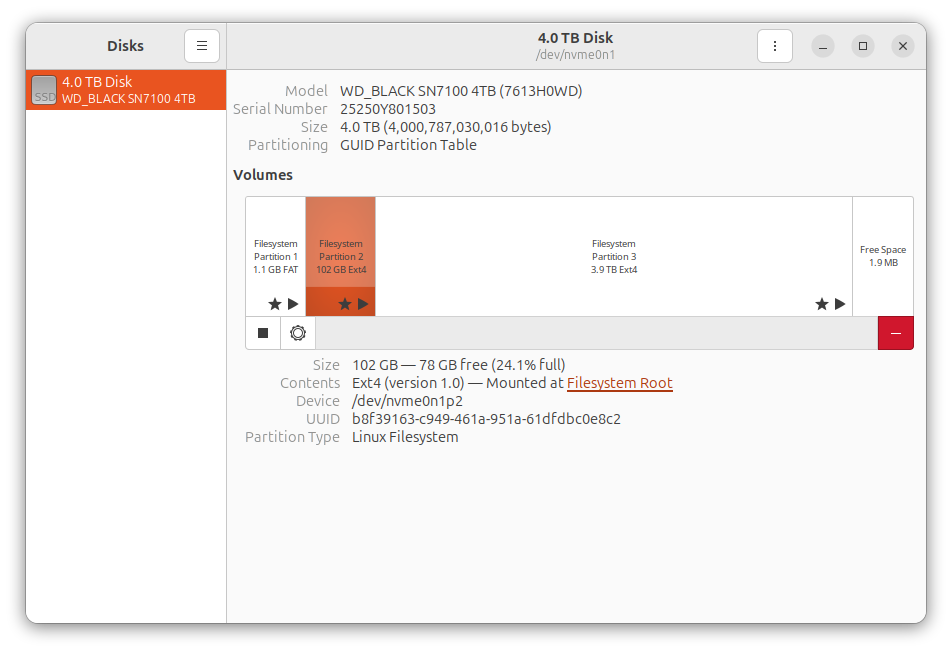
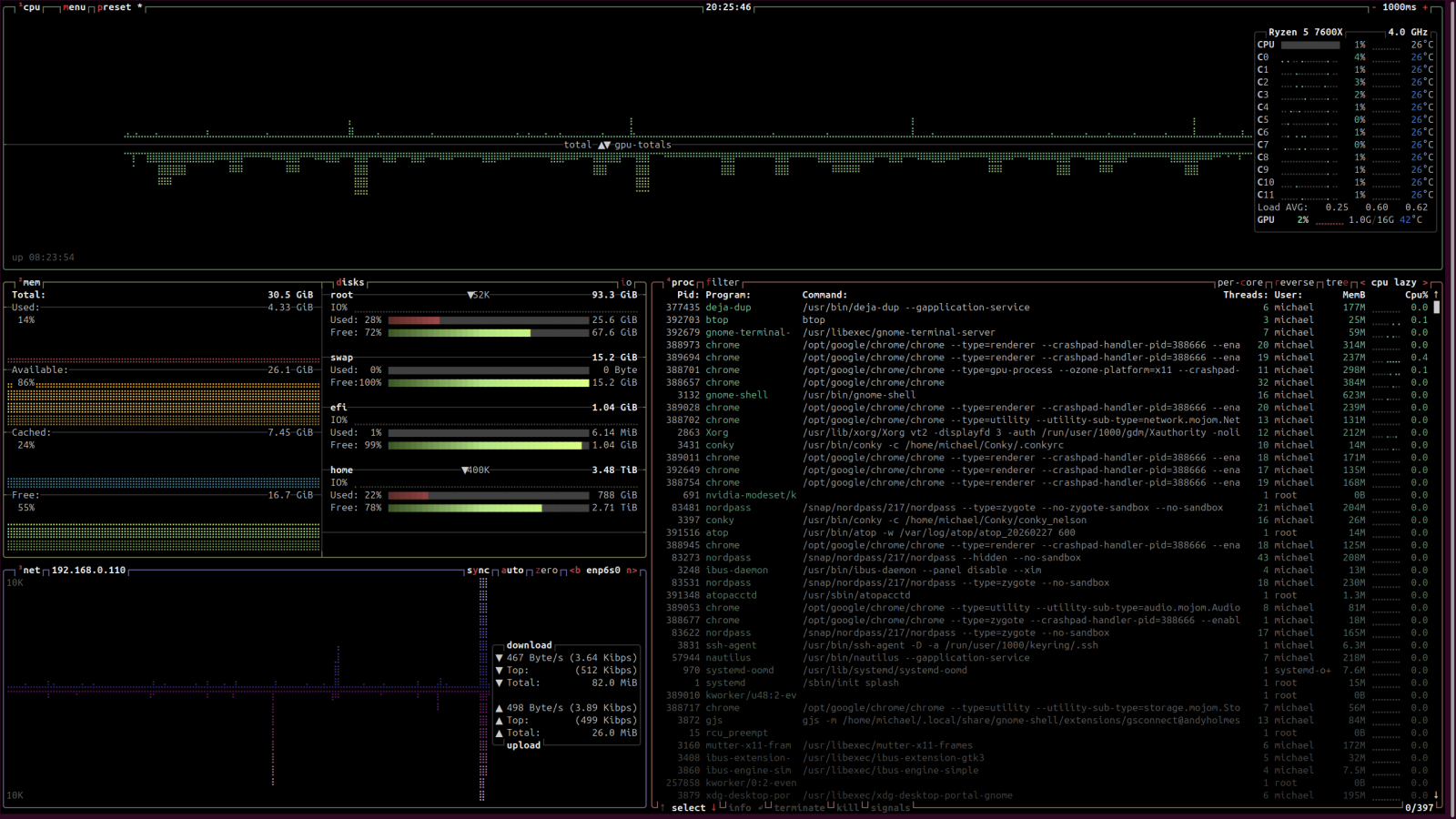

I'll show you all my workstation.
12-core AMD processor
32 GB of RAM and only barely 15% used
4 TB hard drive M.2 chip (22% used for home data, 28% used for the OS system (root)
1Gbit Network (CAT6 Cable)
As you can see, my workstation has all the common-sized stuff that most Windows PCs today are build with. So now...I want anyone to post up the amount of memory used on their Windows 10 or Windows 11 PCs. My uptime is low because I had a kernel update for the machine, so a reboot is required. Hard drive usage is low for 4TB hard drive yet.
Perk bonus for linux users. No more defragging hard drives, no more anti-virus software, nor malware scanning of your machine. Being that I isolated my OS system to its own partition this makes the system secure too.
Since the OS system files are tucked away like this, and if there is any reason I need to reinstall my Ubuntu, due to a screw up on a setting or a crashed system, there is no problem. I can reload the operating system completely with no ill effect to the personal data. This is done by partitioning your drive so the operating system is not part of the home folder. Now, during the reinstall, just notify Ubuntu where each folder is and tell the software not to format the home folder. It will remain untouched. The only catch is having to reinstall your other software.
Anyone willing to show off their Windows PC?
Edited by Tweety Bird