

Billet interior parts!
- Replies 1
- Views 433
- Created
- Last Reply
Top Posters In This Topic
-
shanebob 1 post
Popular Days
Most Popular Posts
-
Nice find for sure, I have seen his billet grille emblems in another 2nd gen group I follow but doesnt seam very responsive
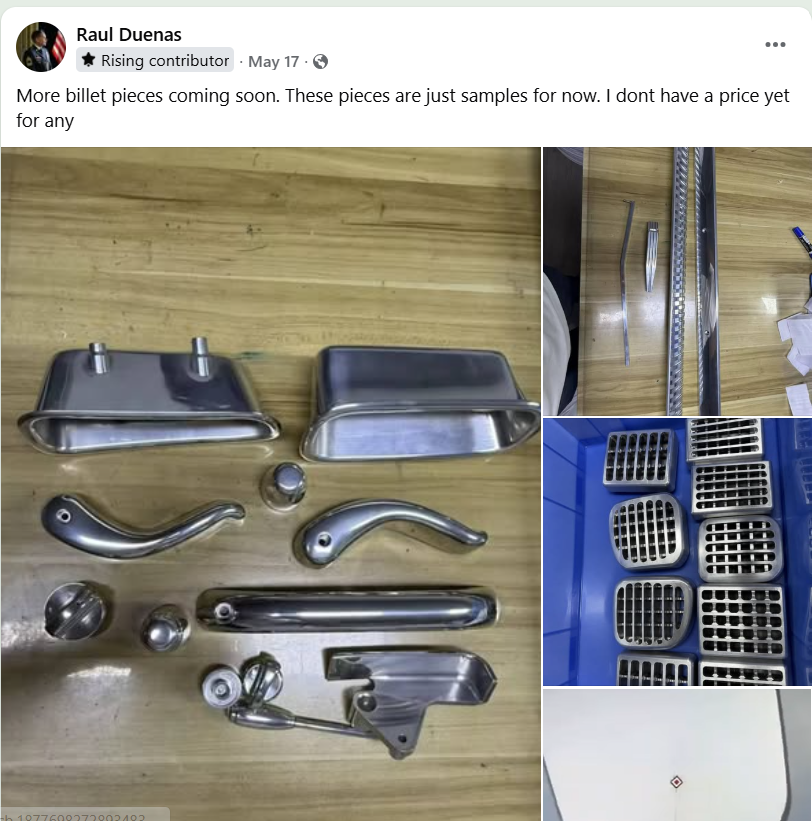
Found a guy on a facebook group that is making billet parts for 2nd gen trucks. These things look amazing! Really cool find!
Been trying to join the group but I have to (answer the questions - if you've joined a group you know what I'm talking about), to get approved and well its bugged and I cant join for some reason. If you look up Lowered 2nd gen ram (group) you'll find where he's at, and if you can join - well let me know.
Guys name is Raul Duenas
He has more pics lurking in that group, little bit of everything.
I don't know the guy but if your interested hit him up!