Skip to content
View in the app

A better way to browse. Learn more.

Mopar1973Man.Com

A full-screen app on your home screen with push notifications, badges and more.

To install this app on iOS and iPadOS
  1. Tap the Share icon in Safari
  2. Scroll the menu and tap Add to Home Screen.
  3. Tap Add in the top-right corner.
To install this app on Android
  1. Tap the 3-dot menu (⋮) in the top-right corner of the browser.
  2. Tap Add to Home screen or Install app.
  3. Confirm by tapping Install.

3" Turbo outlet to HX40 4 3/8" Exhaust downpipe?

New to this forum, but not the cummins forum. I bought this truck a month ago, turbo bearings are shot.

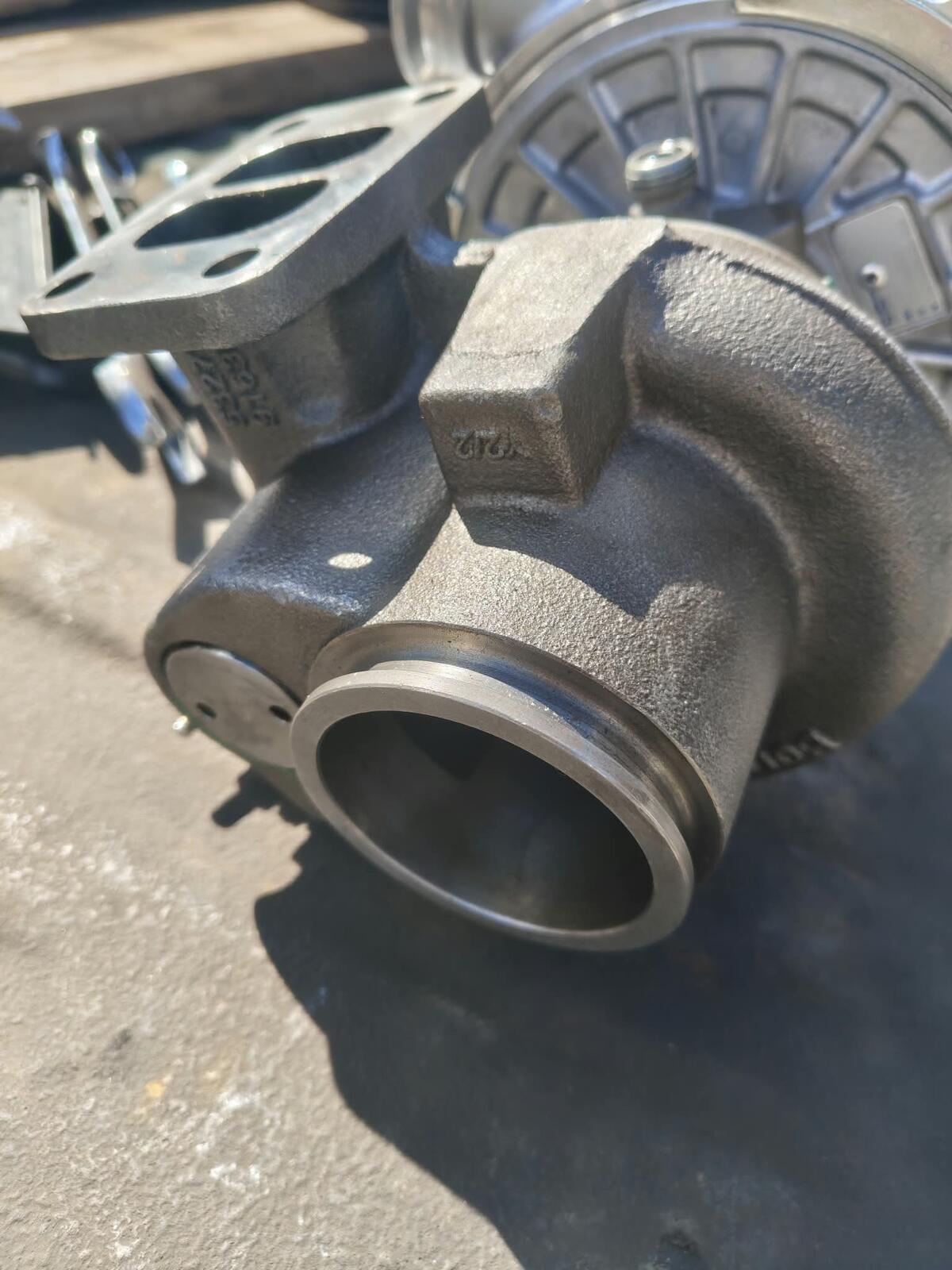
I bought a Borg Warner K27 turbo. Truck is set up with a 4 inch down pipe with an HX40 4 3/8" Flange.

I need an adapter to go from 3" inch ( stock size ) up to the 4 3/8" flange. I've called several diesel specialty shops. No luck.

borg.jpeg

HX409.jpeg

  • Replies 4
  • Views 147
  • Created
  • Last Reply

Top Posters In This Topic

Posted Images

Featured Replies

  • Author

Yeah I called DAP last week. They said they would check the wearhouse and call me back. Never called back. But i emailed in and they said I need a HX35-HE351 Adapter Sweet! It goes from 3" to 4 3/8" Awesome!

Edited by Honestbest333

Got to thiking the hx40 is not normally a 4.4" vband.

I think this might actually be what you need.

https://ebay.io/m/oCjzDQ

My turbo is a 62mm s300 with all kindsa funkery its short with 3rd gen charge pipeing and the 4.4" outlet. I bought the adapter and welded it to 4" pipe.

Its not realy 4 3/8" i think thats the outer vband clamping part.

I think these vband weld on adapters will fit over 3.5" so you can (should)easily be able weld on where you need it.

Though verify what you have. Not sure why dap says its 4.4" or why you think it is.

Also completly confused, truck currently has a hx40 and 4" downpipe installed

I looked up the k27 outlet size and its 3" so im even more confused.

Edited by Evan

Account

Navigation

Search

Search

Configure browser push notifications

Chrome (Android)
  1. Tap the lock icon next to the address bar.
  2. Tap Permissions → Notifications.
  3. Adjust your preference.
Chrome (Desktop)
  1. Click the padlock icon in the address bar.
  2. Select Site settings.
  3. Find Notifications and adjust your preference.