Skip to content
View in the app

A better way to browse. Learn more.

Mopar1973Man.Com

A full-screen app on your home screen with push notifications, badges and more.
To install this app on iOS and iPadOS
  1. Tap the Share icon in Safari
  2. Scroll the menu and tap Add to Home Screen.
  3. Tap Add in the top-right corner.
To install this app on Android
  1. Tap the 3-dot menu (⋮) in the top-right corner of the browser.
  2. Tap Add to Home screen or Install app.
  3. Confirm by tapping Install.

Lund INT. window vents

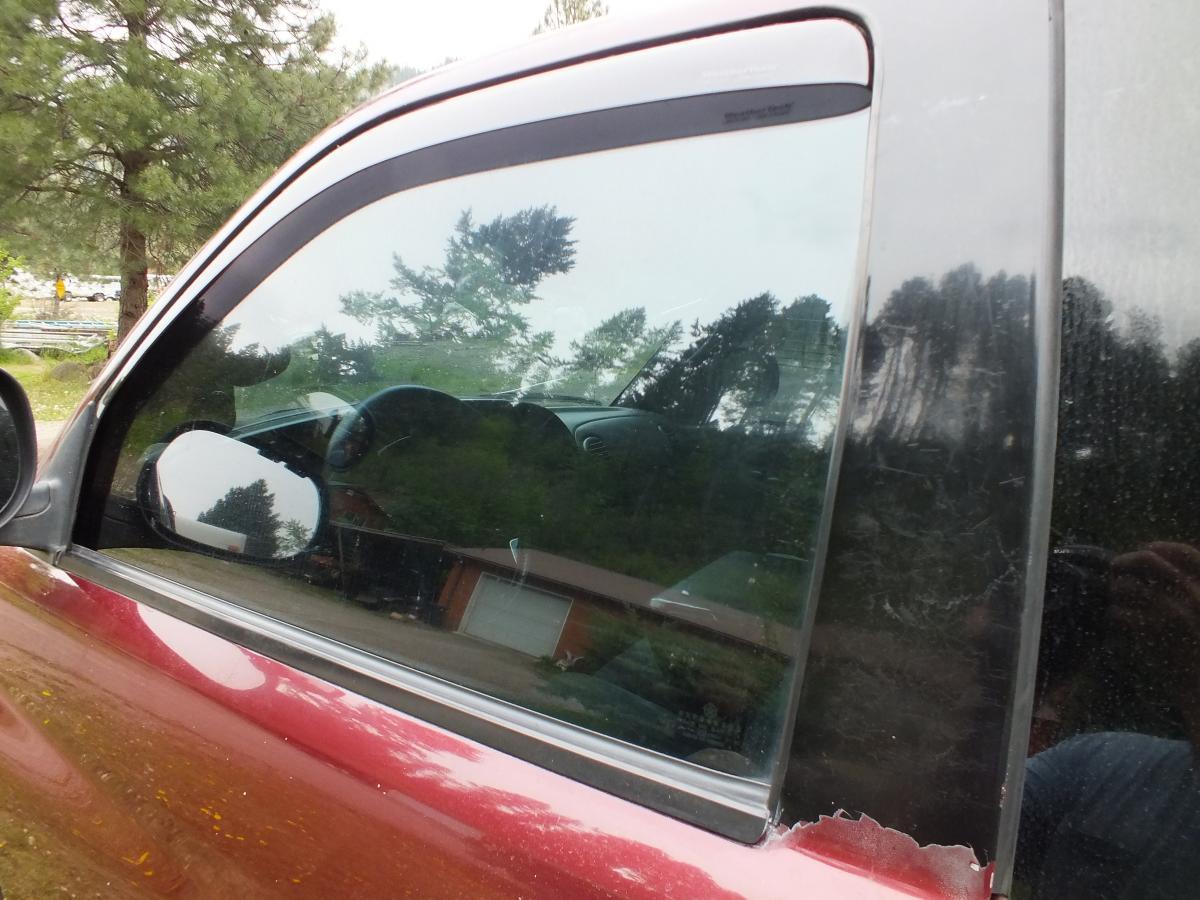
Well some times we buy stuff & WE break it & the MFG replaces it for free!!! WOW! :thumb1:  Very impressed w/ LUND INTERNATIONAL.    AVS window vents i bought at cabelas [ my club $ @ work!] very streamlined fit , they fit into window channel. i recommend them!   sorry, but still cannt posts pics, i'd like to!

  • Replies 7
  • Views 2.2k
  • Created
  • Last Reply

Top Posters In This Topic

Posted Images

Featured Replies

  • Staff

WeatherTechs are better. That's what I was told anyway. They do cost a little more and made in Germany.

  • Author

The germans know how to build good stuff, thats ok, i paid for these w/ cabelas club points,  :wink: ,THAT, i could afford! HAVE A GREAT DAY FOLKS! :nono:

  • Staff

The germans know how to build good stuff, thats ok, i paid for these w/ cabelas club points,  :wink: ,THAT, i could afford! HAVE A GREAT DAY FOLKS! :nono:

Maybe they are better. I don't really have any experience other than just some info I got from a car sales guy.

I have never heard Weathertech doing free replacements. That is very cool

that would get me thinking Lund.... Lund... Lund.

  • Owner

Still in all the whole idea of having your windows down a inch or so in a rain storm is rather great now you can clean the humidity in the cab rather quickly.

  • Author

002_zpsiyheqfvf.jpg


OK!, THANKS TO NICK I AM JUST LIKE OTHER PEOPLE NOW!! :duh:  :) i now know how to post pics!

here are my LUND AVS vents, thanks !

Account

Navigation

Search

Search

Configure browser push notifications

Chrome (Android)
  1. Tap the lock icon next to the address bar.
  2. Tap Permissions → Notifications.
  3. Adjust your preference.
Chrome (Desktop)
  1. Click the padlock icon in the address bar.
  2. Select Site settings.
  3. Find Notifications and adjust your preference.