
Mopar1973Man
Owner
-
Joined
-
Last visited
Everything posted by Mopar1973Man
-
Got the switch back LEDs in both trucks. Really nice to run marker lights without the head lights. Makes your truck bit more modern with daytime running lights. There is an article for even 12V 2nd gens.
-
That should work. The H1 Minis are easy to do. The D2S takes a bit of customizing to make it fit.
-
Ask @Me78569 he know where to buy the kits.
-
DAP 7 x 0.010 injectors (@ 320 bar) VCO's I'll let you know how long they go. Lots of idle time, lots of highway time.
-
Not really. I got a set of Sport Headlights (clear lens) and did the relay mod and wasn't very good. That is what pushed me to sell my sport headlights and move on to the HID's.
-
This will show you all the stuff on that fuse.
-
Nope... Started with the switch on the Edge Comp then the Quadzilla for many years and thousands of miles so far.
-
Here is the wiring diagram...
-
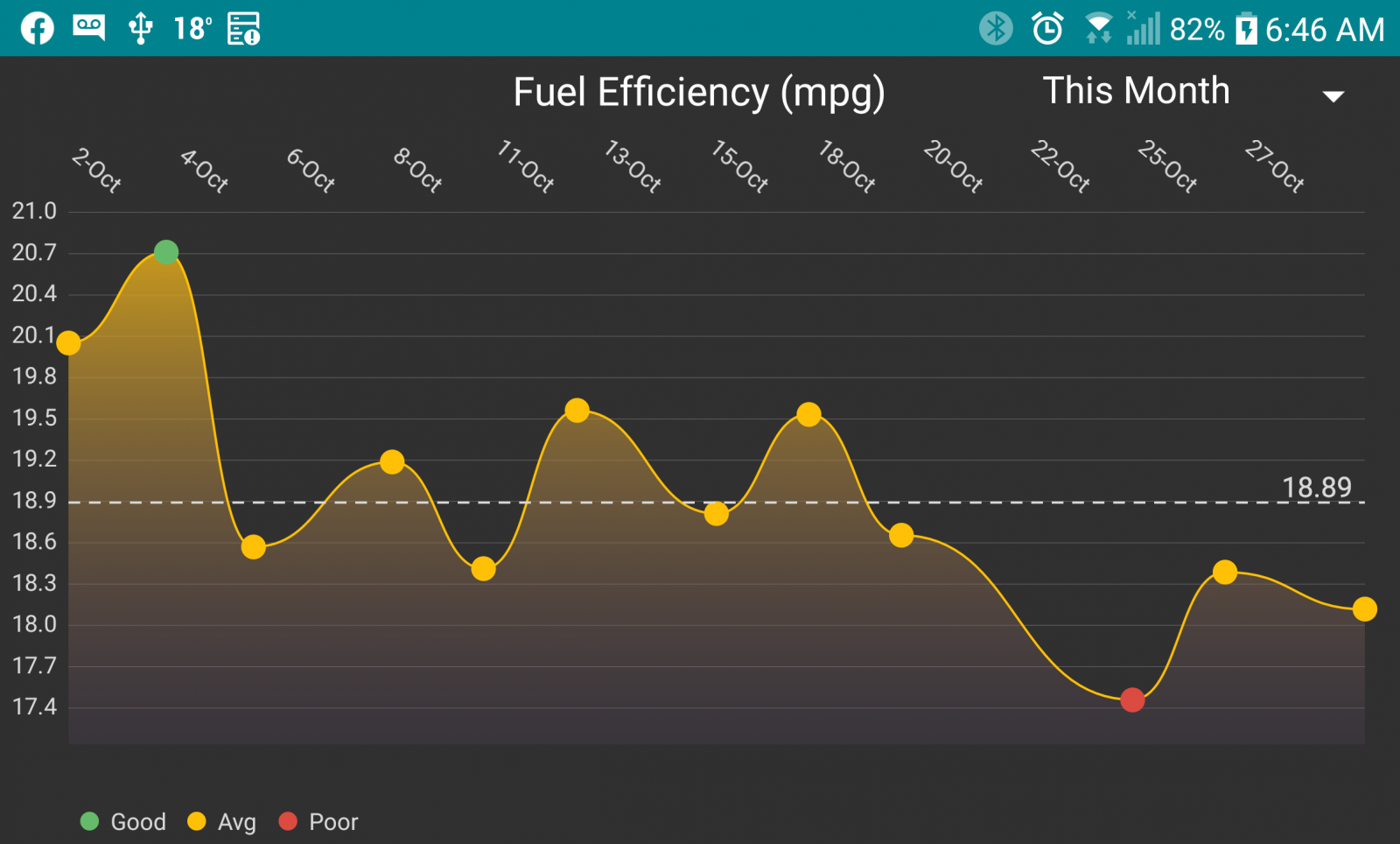
Now we are back on normal time I can shot some headlight photos again. Wicked seeing a full mile down the road and lighting up 50 foot trees to the top and seeing 50 feet out past the pavement.@JAG1 need to drive more. Just about 400k miles.Not sure... Like I said it much bigger than both Smarty and Egde. Like a small tablet for size. My cellphone is 5.25 inch diag. The Quadzilla is 7 inch diag screen.This is why I do not suggest this mods... Wait to start flashing is a bad thing and the ECM is done.7 inch screen. I'm not sure of the mounting yet. Not small like Edge or Smarty touch.Boost leak on the AFC side maybe?7 x 0.009 should hit 40 PSI. My old 7 x0.0085 (75 HP) was doing 40 to 42 PSI even on my little HX35/40.Timbo's apps is about angle than voltage.1989 to 2002 as far as I know are 11quarts with filter. 03 and up are 12 quarts.I'm set for 18-19 PSI at idle and draws down to 14 to 15 at WOT. About 500 horsepower to the ground.I was expecting much more from a new turbo.Only 34 psi is low... My stock HX35W (54/60/12) made 35 to 37 PSI. My current HX35/40 Hybrid (60/60/12) is making an outrageous 47 to 48 PSI. Starting to wonder if the 14cm2 was too big.My email are not stored on my PC. All my email are IMAP and stored at the server. This allows my to sync all devices to the same email account and nothing ever disappears like POP3 email accounts which are most common.Quadzilla display is WAY bigger than Edge CTS. Edge CTS screen is smaller that a Smarty display, my LG G5 cellphone is bigger than both Edge and Smarty. The Quadzilla display is bigger than my cellphone.I don't know what you all are talking about...Yeah. The weather up here is been bitter cold. I was out chasing two dead Ford trucks and then found a beauty of a 1998 Dodge Ram (p-pump) that has a lift pump problem. Still in all all three job are stuck outside and I've got to get parts and repair ASAP. The Ford trucks are the local Elk ranch. The owner of the ranch. As for the fuel usage. The biggest thing is getting the pyrometer under 600*F constantly and drop that boost to near zero. Hopefully I can get back to a better schedule and quit rushing every where its costing me dearly. Part of it was moving my GF from Nampa to up here. Then Mom running late getting out for her dialysis. Then having to drive like jackass to make it all the way to Ontario on time. Need to get back my tuning and build a winter tune that can work with subzero temperatures. I'm also waiting for winterized diesel to stabilize in content.